Chat about a live session, its actions, and any highlight
Live session content is now something you can talk to: mention a session in a chat, ask about a single action item, or highlight a passage of the transcript and get an answer grounded in the meeting.
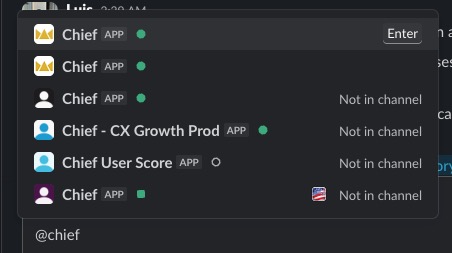
You would finish a session, read the transcript, and then retype the parts you cared about into a chat to get anywhere with them. Chief now takes the session itself as the thing you ask about.
Live sessions in chat
Type @ in the prompt bar and pick live sessions the way you pick any other reference. Chief pulls in the session title, summary, transcript, and the actions and decisions it extracted, so your question lands with the meeting already in context. You can reference up to ten sessions in one message.
Chief also finds sessions on its own when you ask for them by topic or by a date range, then loads the ones that match.
Chat from an action item
Each action item carries a chat button next to the develop check. Click it and a modal opens where you ask your own question about that action, with the meeting brief, the transcript so far, and the action text already behind the answer. Close the modal and the turn keeps running; reopen it to read the result.
A "Working..." marker sits on the row while the answer streams, and a Chat badge stays there afterward so you can see which items already have a thread and jump back into it.
Highlight and ask
Select any passage of a live transcript in the desktop app and a small box appears under your selection. Ask about the passage, press Enter, and the chat opens grounded in what you highlighted. Your highlighted text stays marked in the transcript, so you can find the passage and reopen its chat later.
Session chats list
The session detail page lists the chats a session produced, both the ones developed from actions and the ones started from highlights, titled with the action or the passage they came from. Click a title to open the thread.
Start with a session you already recorded: mention it in a chat, or open its detail page and pull on a single action.